
Preorder before 22 April for a lower price!













CURIO Clear Case for MacBook Air/Pro/Neo – Crystal Clear & Full Hard Coverage
RM79.90 RM119.90
Beneath its modest face hides —
an array of careful designs and complex engineering.
So your moments with MacBook stay seamless (as if without cases).
Elegance (without Maintenance)
- Crystal Clear Look — Optical-Grade Polycarbonate
- Fingerprint Resistance — Vacuum-deposited oleophobic coating
- Anti-Yellow Material — UV & Heat Resistance
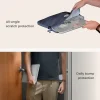
- Full Scratch Protection — Top, bottom, side hard shell coverage
- High-Precision Molding — Tight seams protect against dust
Designed to feel seamless:
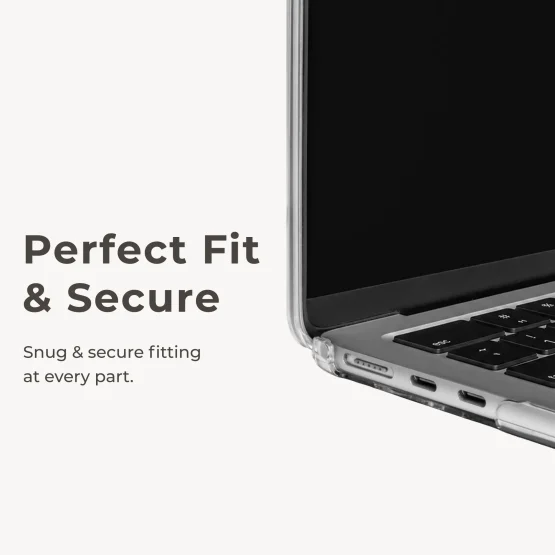
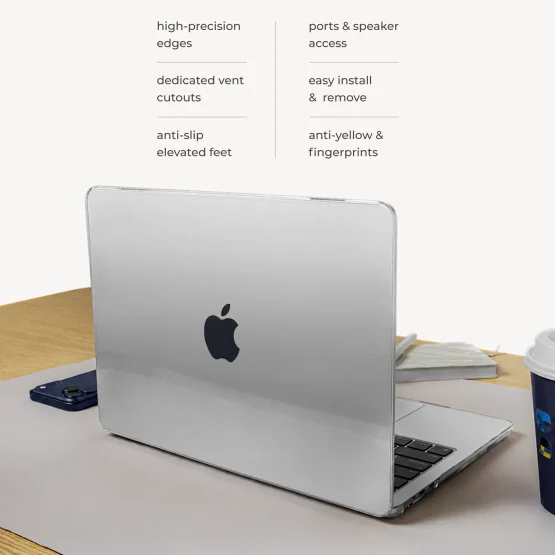
- Precise & Secure Fit — no loose gap & doesn’t fall off
- High-Precision Edges — fully closes without gap
- Dedicated Port Cutouts — seamlessly plug in/out of port
- Easy Install & Removal — hard shell with improved flexibility
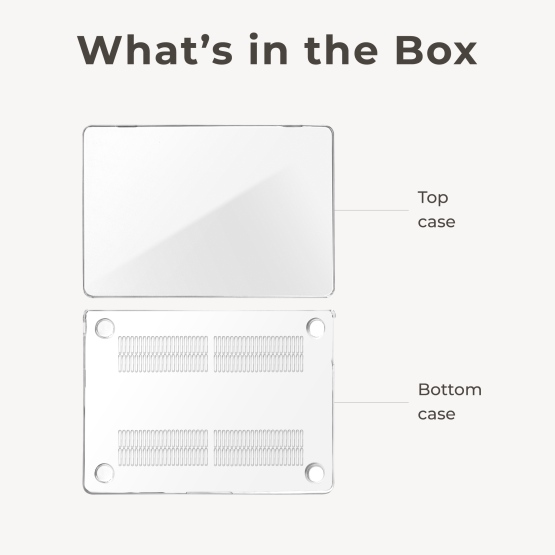
- 176 Vent Cutouts* — optimized for heat dissipation
- Elevated Rubber Feet — non-slip & improves airflow
*The number of vent cutout varies with models
- 13 – 14 inch: 1.4 – 1.6mm
- 15 – 16 inch: 1.8 – 2.0mm
- Materials: Polycarbonate
- Weight: 220g – 370g
- 13″ Neo A3404
- 13.6 Air A2681 / A3113 / A3240A3449
- 13.3 Air A1932 / A2179 / A2337
- 15.3 Air A2941 / A3114 / A3241A3448
- 13.3 Pro A1706 / A1708 / A1989 / A2159 / A2338
- 14.2 Pro A3185 / A3401 / A3434 / A3426 / A3427
- 16.2 Pro A2485 / A2780 / A2991 / A3403 /A3186 / A3428 / A3429
How to install top case?
- Fit top case over Lid from the bottom first. (Keep 1 hand lifting from below to keep the case in position)
- At the top, hold 1 of the clip with your thumb & push it in.
- Repeat Step 2 on the other clip. Top Case’s installation is complete.
How to install bottom case?
- Lower your MBook into bottom case (front-side down first.)
- Once MBook’s front body is inside, lower the back into the case.
- Press the MacBook into the case’s clip at all 4 corners & 2 middle clip (near port cutouts). You’ve successfully installed the top & bottom case.
How to remove top case?
- “Pinch” 1 of the clip off first (With your thumb under the clip, and 4 fingers behind, bend the clip area backward).
- Pinch off the other clip. The top case can now be removed.
How to remove bottom case?
- Lift MBook’s back off the table with one hand.
- With another hand, pinch the back clip off (place your thumb on the clip, not on MBook).
- Pinch off the clip near your port area.
- Now switch hand to support Mbook (keep it separated from the case).
- Repeat Step 2 and 3 on the other side. You can now lift MBook off the bottom case.
How does it resist fingerprint smudges?
CURIO Clear Case has oleophobic coating, which functions like a non-stick layer. So oils will have a harder time sticking to the surface
Why is it easier to clean than other cases?
- Fingerprints are oils bonded to a surface. Hence with other cases, wiping it “smears” it like a painting instead of removing it. With CURIO Clear Case, the coating prevents bonding; the oils simply sit on top and can be removed easily.
- To clean, simply wipe with a damp, lint-free cloth.
How does the anti-yellowing work?
Most cases turn yellow because of UV-degradation & dirt accumulation. CURIO Clear Case’s PC is reinforced with UV absorbers, giving it high UV-resistance. Plus, its protective coating keep out contamination from environmental dirt.
Why is your hard case easier to remove?
Most hard cases are rigid. Ours are engineered to flex a little & bounce back without breaking. As the clips are “bendable”, you can “loosen” the grip to put on/off easier.
Shipping
We process your order within 24 hours. You’ll receive tracking numbers by email in 1 – 2 business days. Shipping cost calculated at checkout.
Warranty
This product is covered under 12 Months Warranty. Reach out to support@charbycharge.com to get help or 1-to-1 replacement.

12-Months Warranty

RoHS Certification

FCC Certification

CE Certification

Reviews
There are no reviews yet.